> For the complete documentation index, see [llms.txt](https://docs.portos.sk/llms.txt). Markdown versions of documentation pages are available by appending `.md` to page URLs; this page is available as [Markdown](https://docs.portos.sk/mobilny-casnik/o-zariadeni.md).
# O zariadení
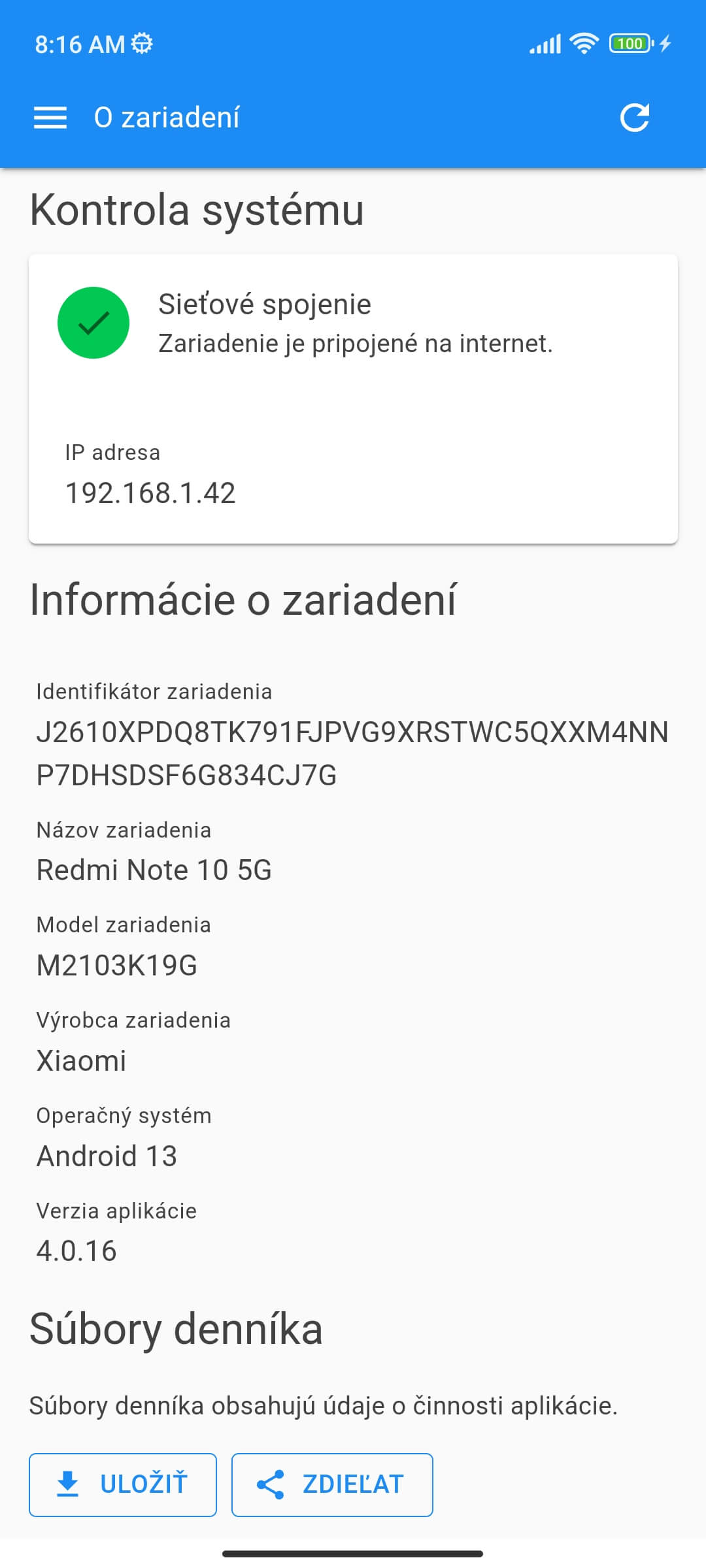
V obrazovke "O zariadení" získate sumárne informácie o zariadení, aplikácii či prístup k denníkom aplikácie.
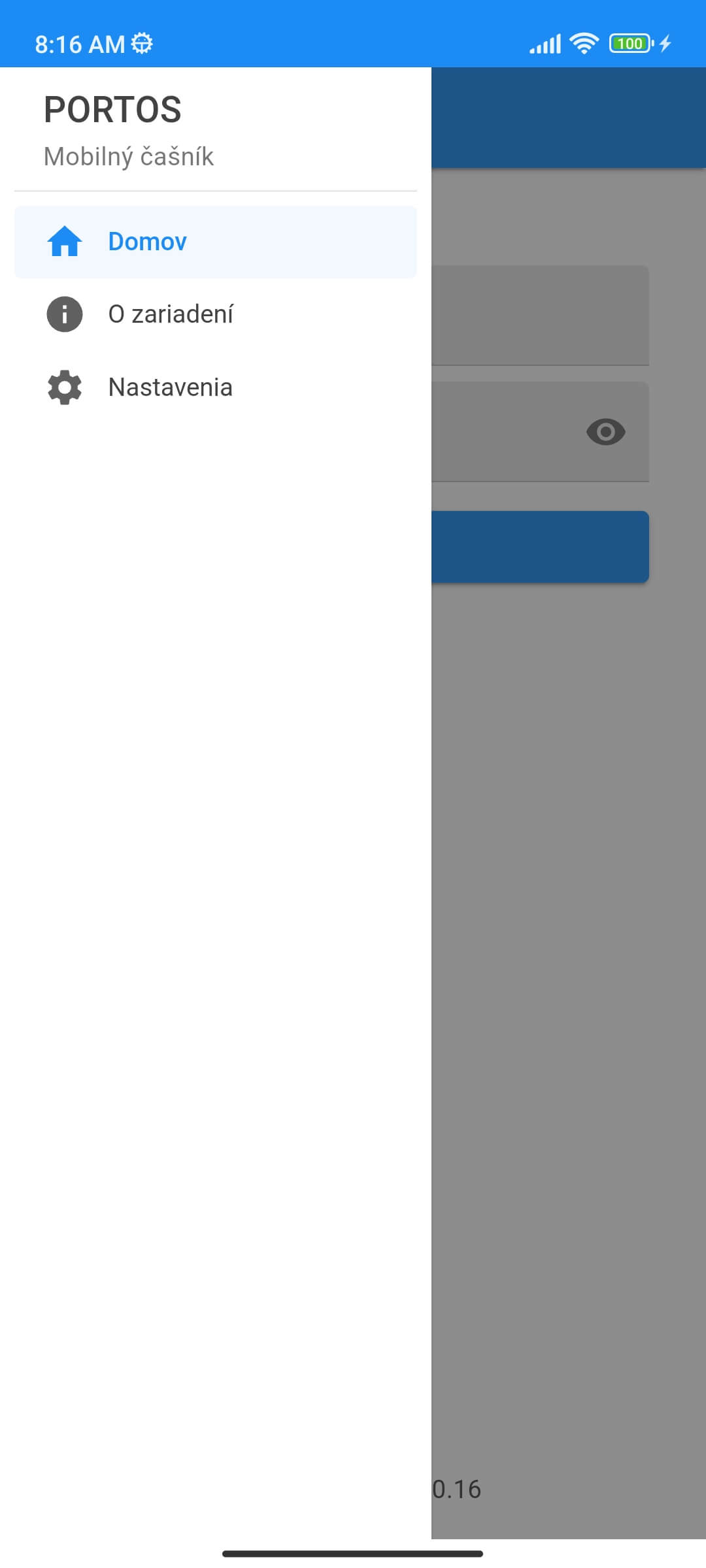
Pre prístup do obrazovky "O zariadení" zvoľte v hlavnom menu možnosť "O zariadení".
Zobrazí sa obrazovka s podrobnými informáciami, ako aj sieťovým pripojením.
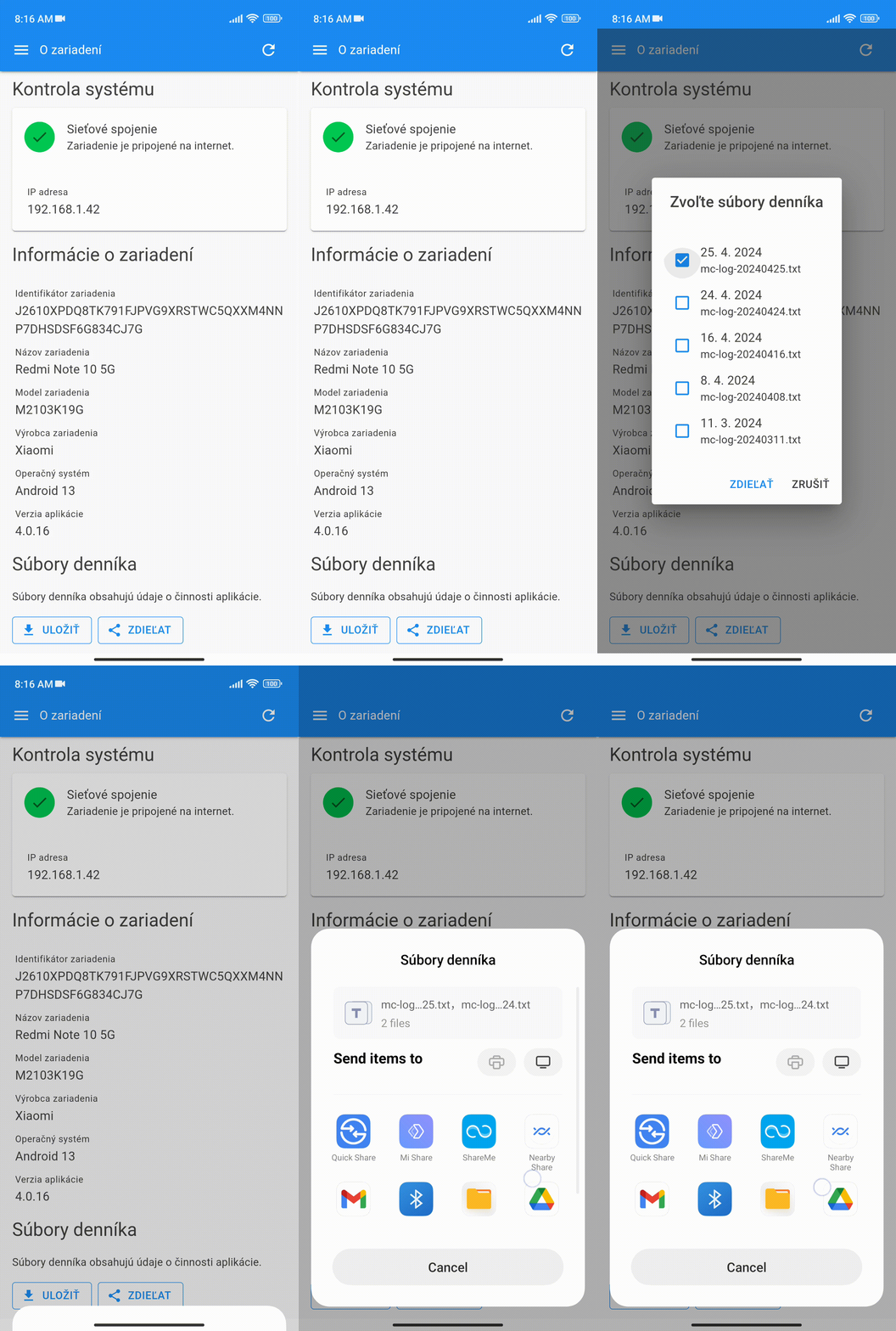
K dispozícii sú aj súbory denníka, ktoré zaznamenávajú činnosť aplikácie. Tieto súbory je možné **uložiť** alebo **zdieľať**.
Po klepnutí na dané tlačidlo sa zobrazí dialógové okno pre výber jedného, alebo viacerých súborov (každý súbor obsahuje denníky pre 1 kalendárny deň). Následne sa zobrazí systémová obrazovka pre uloženie (aplikácia súbory) alebo zdieľanie (lišta s aplikáciami).